

Choosing the right domain name is one of the first steps when creating a website. Whether you are starting a business, launching an online store, creating a portfolio or building a personal brand, your domain name becomes an important part of your online identity.
A Domain Name Checker helps you find out whether a domain name is available for registration. Instead of spending time planning your website around a name that may already be registered, you can check its availability before moving forward.
In this guide, we explain what a domain name is, how a domain name checker works, how to choose a good domain and what to consider before registering one.
What Is a Domain Name?
A domain name is the web address people use to access your website.
For example:
example.com
Instead of remembering a website’s numerical IP address, visitors can type a simple domain name into their browser.
A domain usually consists of:
Name + Extension
For example:
yourbusiness.com
Here:
- yourbusiness is the domain name
- .com is the domain extension
Other commonly used extensions include:
- .com
- .in
- .net
- .org
- .co
- .online
- .shop
- .store
- .tech
The right extension depends on your business, audience and branding requirements.
What Is a Domain Name Checker?
A Domain Name Checker is an online tool that allows you to check whether a particular domain name is available for registration.
You enter a domain name such as:
mybusiness.com
The checker searches the domain’s registration status and indicates whether the domain can generally be registered.
If the domain is already registered, you can try alternative names or another domain extension.
Why Use a Domain Name Checker?
Checking domain availability before registering a website name can save time and help you find suitable alternatives.
A domain checker can help you:
- Check domain availability
- Search different domain extensions
- Find alternative domain names
- Plan your website address
- Compare different naming options
- Identify available names for a new business
- Find a suitable domain for an online store
- Choose a domain for a personal website or portfolio
For businesses, the domain name is also part of the overall brand identity, so choosing it carefully is important.
How to Check Domain Availability
Checking a domain name is generally simple.
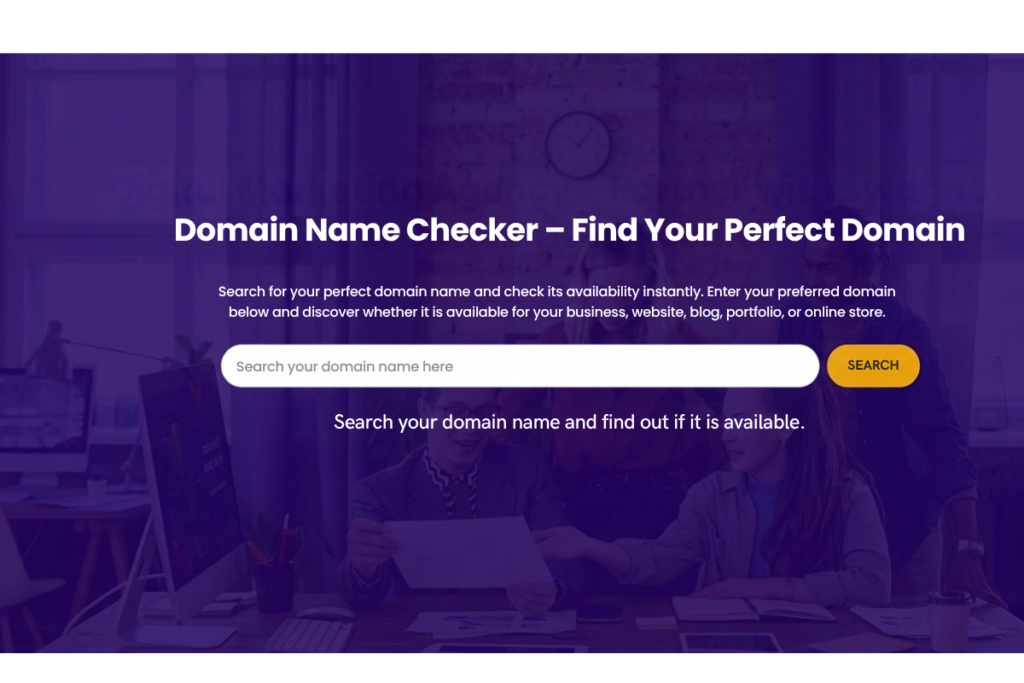
Step 1: Think of a Domain Name
Start with a name related to your:
- Business
- Brand
- Product
- Service
- Personal name
- Website topic
For example:
yourbrand.com
Step 2: Enter the Name in a Domain Name Checker
Enter the domain you want to check into the domain search field.
For example:
yourbrand.com
Step 3: Check the Availability
The tool will indicate whether the domain is available.
If it is available, you can proceed to registration through a domain registrar.
If it is already registered, consider another variation or extension.
Step 4: Compare Alternatives
If your first choice is unavailable, you can try:
yourbrand.in
yourbrand.net
yourbrand.co
or another relevant extension.
How to Choose a Good Domain Name
Finding an available domain is only one part of the process. You should also consider whether the name is suitable for your brand.
Keep It Simple
A good domain name should be easy to remember and type.
Avoid unnecessarily complicated words, long combinations or difficult spellings where possible.
Make It Easy to Remember
A memorable domain can make it easier for visitors to return to your website.
For example:
brandname.com
is generally easier to remember than a long combination of unrelated words.
Consider Your Brand
If you are creating a business website, your domain should ideally relate to your business or brand name.
This helps create consistency between your:
- Website
- Logo
- Social media profiles
- Marketing materials
- Business cards
- Email addresses
Avoid Unnecessary Numbers
Numbers can sometimes create confusion.
For example, users may not know whether a domain contains:
5
or
five
If a number is an important part of your established brand, however, it may make sense to include it.
Be Careful With Hyphens
Hyphens can make some domain names harder to communicate verbally.
Whenever possible, consider a simple version without unnecessary punctuation.
Which Domain Extension Should You Choose?
There are many domain extensions available today.
.com
The .com extension is widely used by businesses, organizations and websites around the world.
If your preferred .com domain is available and appropriate for your brand, it may be worth considering.
.in
The .in extension is associated with India and can be relevant for businesses targeting Indian customers.
For a business operating primarily in India, a .in domain can be one option to consider.
.org
The .org extension is commonly associated with organizations and non-profit groups, although actual eligibility and registration rules depend on the registrar and current policies.
.net
The .net extension is another established domain extension and may be considered when the preferred .com domain is unavailable.
Other Extensions
There are many newer extensions such as:
- .tech
- .store
- .online
- .shop
- .website
These can sometimes provide additional naming options.
However, your choice should be based on branding, audience and availability rather than simply selecting the newest extension.
Domain Name vs Website: What Is the Difference?
A domain name and a website are not the same thing.
Domain name:
The address visitors use to reach your website.
Website:
The pages, content, images, functionality and information hosted online.
For example:
Domain:
yourbusiness.com
Website:
The complete online presence visitors see after entering that domain.
You generally need both a domain name and web hosting to publish a website.
Domain Name and Web Hosting
Domain registration and web hosting are related but separate services.
A domain gives your website its address.
Web hosting provides the server space where your website’s files are stored.
A simplified example is:
Domain → Website Address
Hosting → Website Files
Website → Content and User Experience
Understanding this difference is useful when setting up a new website.
What Should You Check Before Registering a Domain?
Before registering a domain, it is useful to understand how domain names work. ICANN provides information about domain names and the domain name system. Learn more about domain names at ICANN
1. Availability
Use a Domain Name Checker to confirm whether the name is available.
2. Spelling
Make sure the domain is easy to spell and communicate.
3. Brand Relevance
The name should make sense for your business, project or website.
4. Domain Extension
Choose an extension that matches your audience and business requirements.
5. Trademark Considerations
Before using a brand name commercially, check whether the name could conflict with an existing trademark or other intellectual-property rights.
6. Social Media Availability
If social media branding is important, you may also want to check whether a similar username is available on the platforms you plan to use.
What If Your Domain Name Is Already Taken?
Don’t worry if your first choice is unavailable.
You can consider:
- A different domain extension
- A shorter version
- A variation of your brand name
- Adding a relevant word
- Using a location-based variation
- Choosing an alternative brand name
For example, if:
mybrand.com
is unavailable, you might explore:
mybrand.in
or another relevant variation.
However, avoid making the domain unnecessarily long simply to obtain an available name.
Domain Names for Business Websites
A domain name can become an important part of your business identity.
For example, a professional domain can be used for:
- Business websites
- Company email addresses
- Landing pages
- Online stores
- Service websites
- Portfolio websites
- Marketing campaigns
A branded email such as:
can also provide consistency with your website and business identity.
Domain Names and SEO
A domain name is only one part of SEO. Google recommends focusing on useful, people-first content and overall website quality rather than relying on a domain name alone. Google Search Central SEO Starter Guide.
Having a keyword in your domain does not automatically guarantee higher Google rankings.
Modern SEO involves many factors, including:
- Useful content
- Search intent
- Website quality
- Technical SEO
- Page experience
- Internal linking
- Backlinks
- Local SEO
- Mobile usability
- Website performance
Therefore, choose a domain primarily because it is relevant, memorable and suitable for your brand rather than trying to place as many keywords as possible into the domain.
Domain Name Checker for Your New Website
If you are planning a new business website, checking your domain name should be one of the early steps in the process.
A simple process is:
Business Idea → Brand Name → Domain Name Checker → Domain Registration → Hosting → Website Development → SEO → Digital Marketing
Planning the domain before developing the website can help maintain consistency throughout your online presence.
Start With the Right Domain Name
Your domain name is an important part of your online identity. Before building your website, take some time to find a name that is simple, memorable and relevant to your business.
Use a Domain Name Checker to check availability, explore alternative extensions and select a domain that fits your brand.
Once you have your domain, the next steps are website development, SEO, content and digital marketing.
Frequently Asked Questions
A Domain Name Checker is a tool that helps you determine whether a particular domain name is available for registration.
Enter the domain you want to use into a domain availability checker. The tool will check its registration status and show whether it is available or already registered.
If a domain is available, you can generally register it through a domain registrar by following the registrar's registration process.
Try another domain extension, a shorter variation or an alternative brand name. Avoid creating an unnecessarily complicated domain just because the original name is unavailable.
The choice depends on your business and target audience. A business primarily serving Indian customers may consider .in, while .com is widely used internationally. Choose the extension that fits your brand and audience.
A domain name is one part of a website's overall identity, but having a keyword in the domain does not by itself guarantee better search rankings. Website quality, content, technical SEO and other factors are important.
Registration periods depend on the domain extension and registrar. Many domains can be registered for one or more years and renewed before expiration.
Need help building your website after choosing a domain?
HR Digital Marketing Services provides website design and development, SEO, digital marketing, social media marketing, Google Ads, email marketing and other online marketing services for businesses.
Get in touch with HR Digital Marketing Services to discuss your website and digital marketing requirements.